Prompts start simple — a string in your code. But they don't stay simple. Someone on the team tweaks the wording and accuracy drops. Another person changes the system prompt and breaks the output format. There's no way to know what prompt was running last week, and no way to go back to it safely.
This is the prompt management problem. And it's the reason DeltaLLM includes a Prompt Registry — a way to treat prompts as versioned, deployable assets instead of hardcoded strings.
Why Prompts Need Version Control
You already version your code. Prompts deserve the same discipline, because:
- Prompts change more often than code — small wording adjustments, added constraints, format changes. Each change can impact output quality.
- Rollback is critical — when a prompt change causes regressions, you need to revert in seconds, not redeploy your app.
- Audit trail matters — regulated industries need to know exactly what prompt was running when a specific response was generated.
- Teams need coordination — multiple people editing the same prompt without versioning leads to conflicts and lost work.
How the Prompt Registry Works
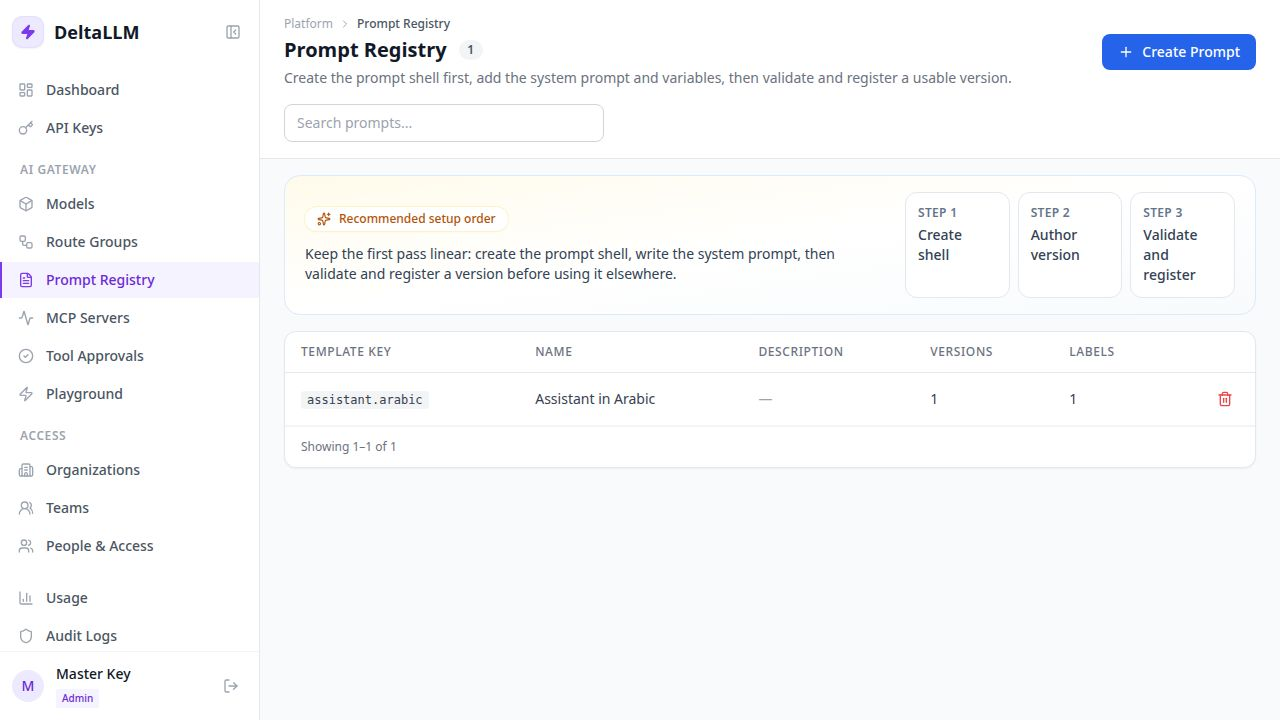
The registry manages four things:
| Concept | What it does |
|---|---|
| Template | A named prompt identity (e.g., support-classifier). Think of it as the prompt's name. |
| Version | An immutable snapshot of the prompt body and its variables. Once saved, it can't be edited — only new versions can be created. |
| Label | A movable pointer like production or staging. Moving a label to a new version is how you deploy. |
| Binding | Connects a template to a route group or scope. This is what makes a prompt active in live traffic. |
The Deployment Workflow
Here's how a typical prompt change flows through the registry:
- 1. Create a new version — write the updated prompt body with its expected variables. The old version stays untouched.
- 2. Test it — use the render preview to see how the prompt looks with sample variables. Check resolution to verify which version will be resolved at runtime.
- 3. Move the label — point the
productionlabel to the new version. This is the only step that changes live traffic. - 4. Monitor — if something goes wrong, move the label back to the previous version. Rollback is instant.
Variables and Templates
Prompts can include variables that are filled at runtime:
You are a {{role}} assistant for {{company_name}}.

When the user asks about {{topic}}, respond using the following guidelines:
{{guidelines}}

Always respond in {{language}}.
The registry validates that all expected variables are defined, and the render preview lets you test with sample values before deploying.
Binding to Route Groups
A prompt template on its own doesn't affect live traffic. You need to bind it to a consuming scope — typically a route group. The binding says "when requests come through this route, use this prompt template resolved at the given label."
This separation is intentional:
- The Prompt Registry defines what the prompt says
- Route Groups decide where the prompt applies
- You can update one without touching the other
Safety Features
The registry includes several guardrails of its own:
- Secret detection — template bodies are scanned for API keys and secrets. If something looks like a secret, the save is rejected.
- Render preview — test the prompt with sample variables before promoting it.
- Resolution preview — see exactly which version will be resolved for a given scope at runtime.
- Binding inspection — view all bindings for a template to understand where it's used.
Getting Started
Create your first prompt template from the admin UI:
- Open the Prompt Registry page
- Click Create Template and give it a key (e.g.,
support-classifier) - Add the first version with your prompt body and variables
- Label that version as
production - Bind the template to a route group
From this point on, prompt changes happen in the registry — not in your application code. Your app doesn't need to know or care which version is active.
deltallm_prompt_resolutions_total and deltallm_prompt_resolution_latency_seconds), so you can monitor resolution performance at scale.