A single GPT-4o call costs fractions of a cent. Negligible. But at scale — multiple features, multiple users, multiple providers — costs compound fast. Teams regularly discover they're spending thousands per month on LLM calls with no clear breakdown of where the money goes.
This guide covers how to get visibility into your LLM costs and reduce them without sacrificing quality.
The Visibility Problem
If you call providers directly, your cost data is scattered across separate dashboards — one per provider. You can't easily answer:
- Which feature is your biggest spender?
- Which user or team is consuming the most tokens?
- Did that model change last week actually save money?
- How are costs trending as usage grows?
A gateway that logs every request gives you one unified view across all providers, all models, and all your app's features.
Spend Tracking in DeltaLLM
DeltaLLM tracks token usage and calculates cost for every request using the pricing metadata on each model deployment. Open the Usage & Spend page to see it all:
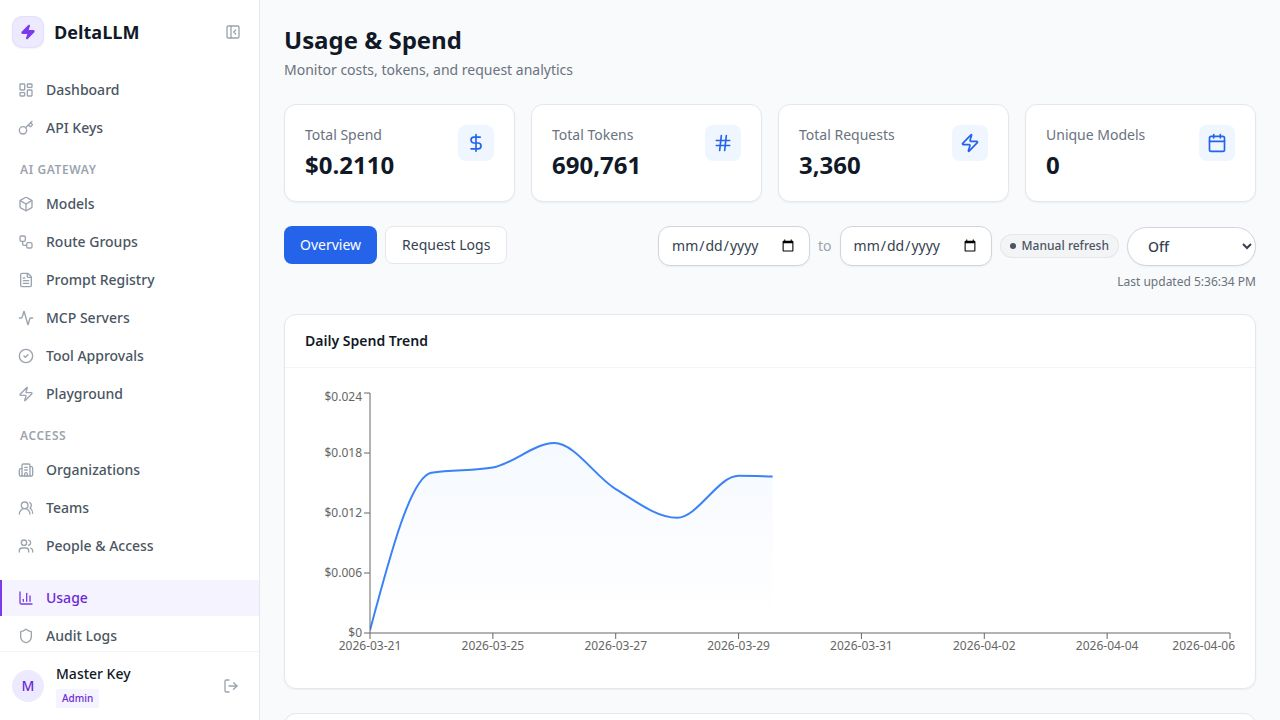
You can break down costs by model, API key, and team. Filter by date range, switch between the overview charts and detailed request logs.
Budget Limits: Stop Surprises Before They Happen
DeltaLLM lets you set hard spending caps at multiple levels:
- Per API key — give each service or feature its own key with a spending limit.
- Per team — cap total team spend across all their keys.
- Per organization — set organizational budgets for multi-tenant setups.
When a key or team hits its budget, DeltaLLM returns a budget_exceeded error instead of letting more costs pile up.
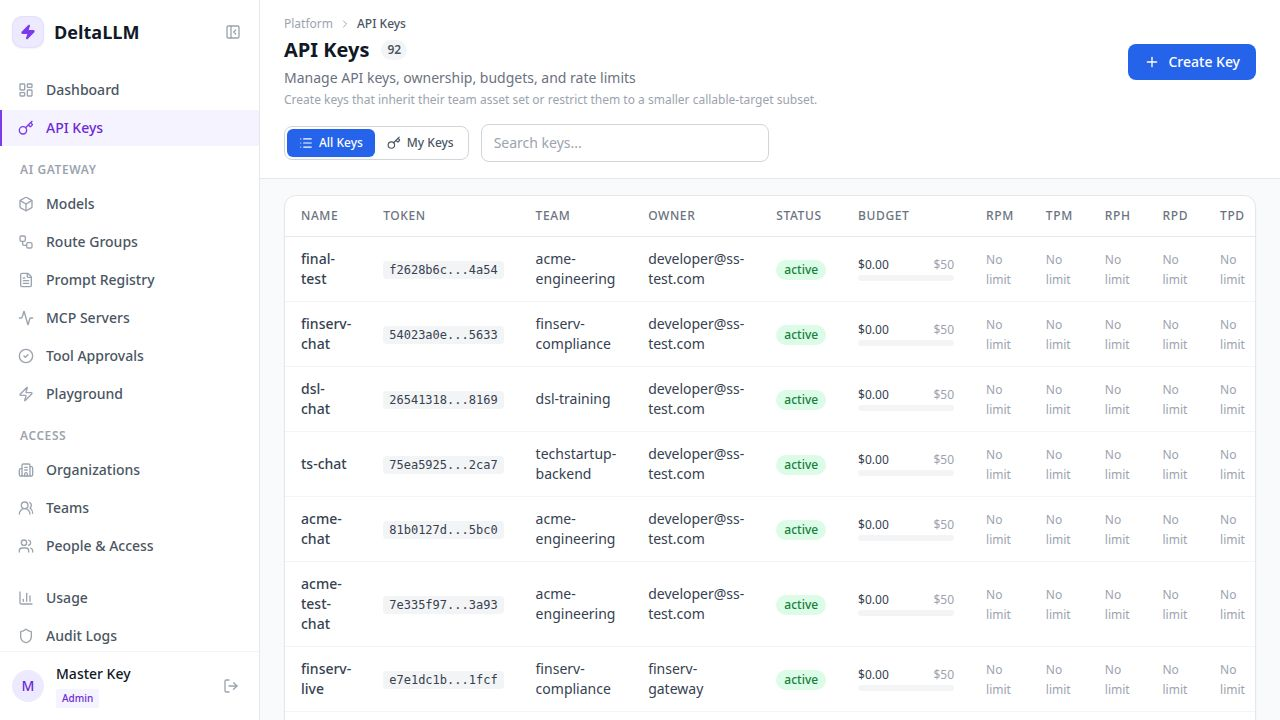
DeltaLLM also supports soft budgets — alert thresholds that trigger email notifications without blocking traffic. Useful for heads-up warnings before hitting a hard limit.
Three Levers for Cutting Costs
1. Route simple tasks to cheaper models
This is the biggest lever. GPT-4o is excellent — and expensive. For tasks like classification, short summarization, or simple Q&A, a smaller model like GPT-4o-mini or Gemini Flash produces comparable results at a fraction of the cost.
model_list:
  # Complex reasoning → expensive model
  - model_name: complex-task
    deltallm_params:
      model: openai/gpt-4o

  # Simple classification → cheap model
  - model_name: simple-task
    deltallm_params:
      model: openai/gpt-4o-mini
Or let the gateway pick the cheapest option automatically:
router_settings:
  routing_strategy: cost-based-routing
2. Cache repeated requests
If your app sends identical prompts repeatedly (FAQs, common queries), caching responses avoids paying for the same answer twice:
general_settings:
  cache_enabled: true
  cache_backend: redis
  cache_ttl: 3600
3. Cap context length
Prompt tokens are often the biggest cost driver. If features are sending unnecessarily large contexts, set input limits:
model_list:
  - model_name: gpt-4o
    deltallm_params:
      model: openai/gpt-4o
      max_input_tokens: 4096
Measuring the Impact
Before and after any optimization, measure with real data. The dashboard shows spend trends over time, or query the API directly:
curl "http://localhost:4002/ui/api/spend/report?group_by=model" \
  -H "Authorization: Bearer $DELTALLM_MASTER_KEY"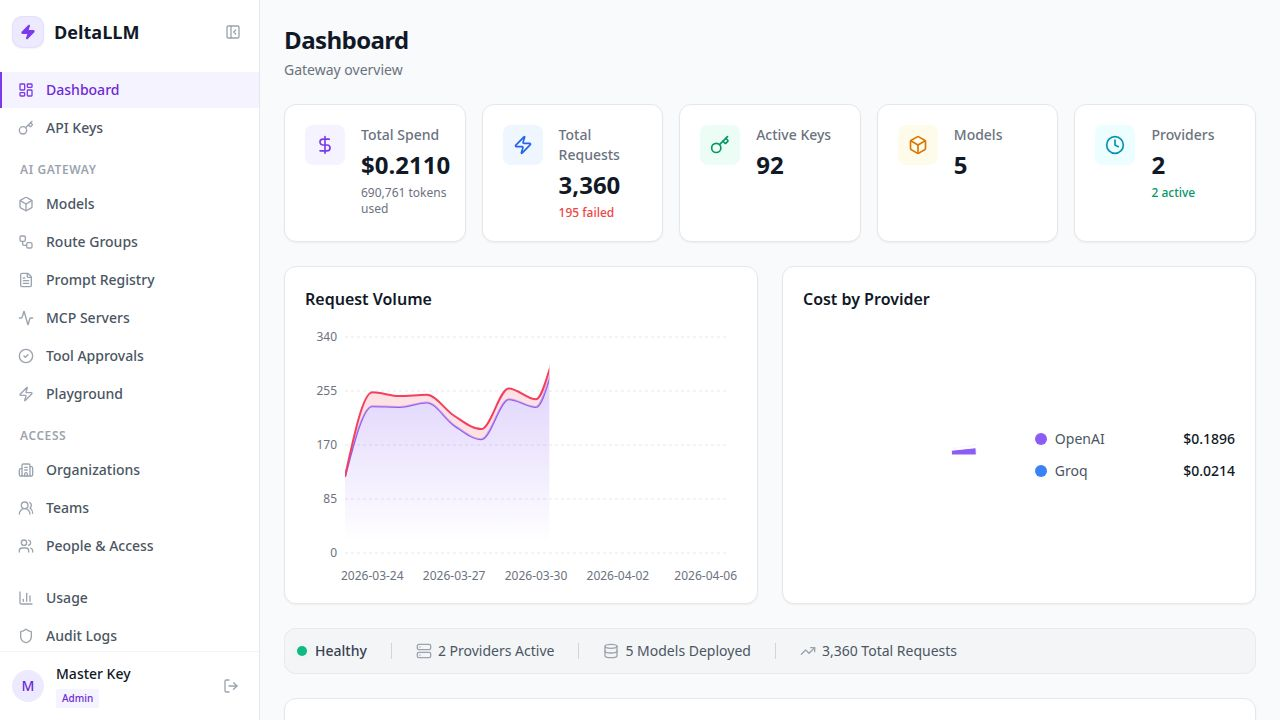
Cost optimization is ongoing. As usage scales and new models are released, the optimal strategy changes. The key is having the visibility to make informed decisions instead of guessing.