This comparison is written by the DeltaLLM team and reviewed against the official sources linked below on 10 October 2026. It is not an independent benchmark or a quote for either product.
Compare deployment options first
“Portkey versus self-hosting” is too broad. Portkey's open-source gateway and enterprise deployments also offer infrastructure control. Decide whether you want a managed service, a gateway component you integrate yourself, or a complete platform operated in your environment.
| Option | Who operates it? | What to evaluate |
|---|---|---|
| Portkey managed platform | Portkey operates the service | Plan features, service terms, retention, and recurring cost |
| Portkey open-source gateway | Your team | The gateway and the additional management tools your setup needs |
| Portkey enterprise private cloud | Depends on the deployment agreement | Included control plane, support, infrastructure, and contract terms |
| DeltaLLM | Your team | Gateway, Admin UI, database, distributed coordination, storage, and upgrades |
Portkey documents its open-source gateway, enterprise private-cloud offering, and MCP gateway. Check the current packaging directly rather than assuming that every feature is included in every deployment.
Evaluate a real team workflow
Use a small scenario: Acme Support needs a chat model and a monthly budget; Acme Search needs an embedding model and different rate limits. Both teams belong to the same organization. Their applications should receive scoped gateway keys rather than shared provider credentials.
Set model access and budgets
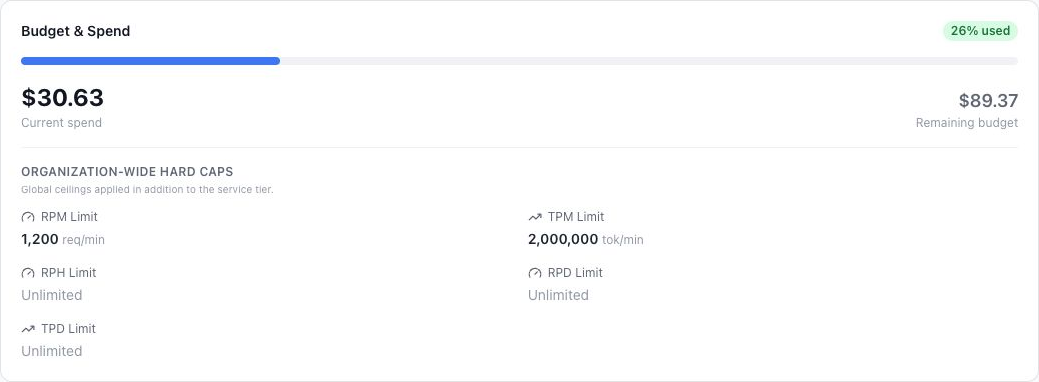
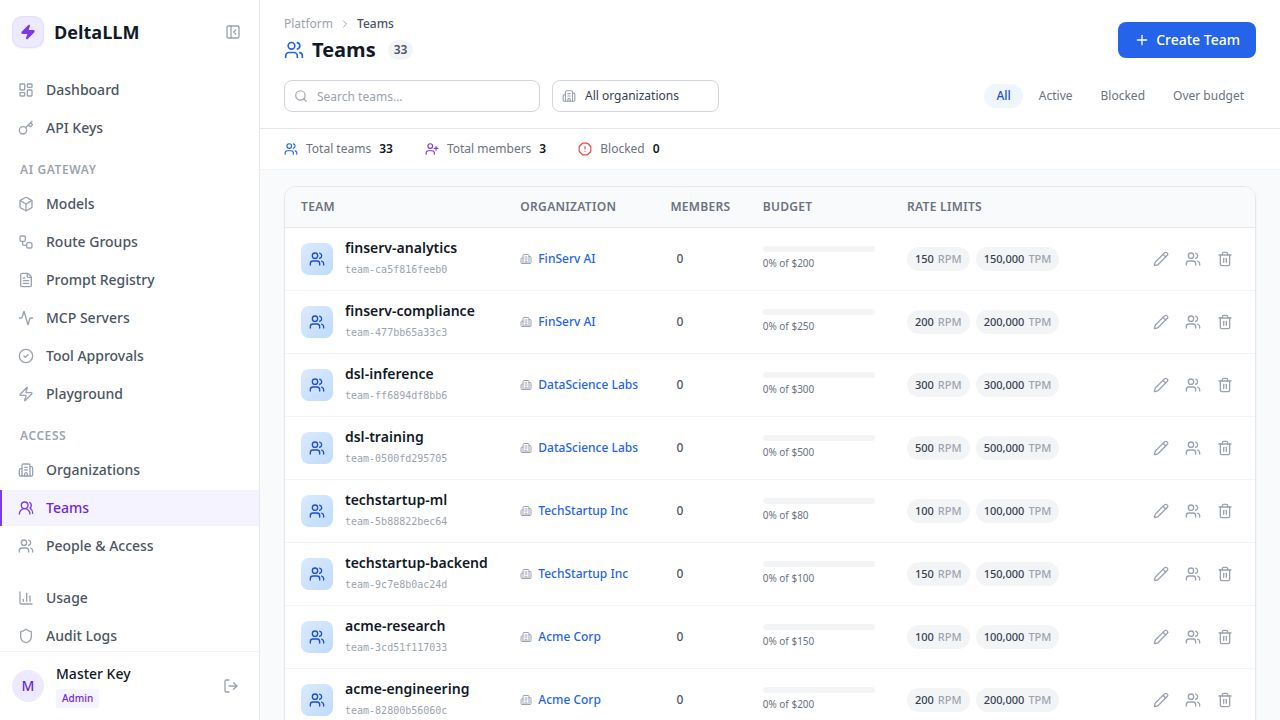
In DeltaLLM, create the organization and teams, assign model access, and set their budgets and RPM/TPM limits. If you sell repeatable customer plans, use an organization service tier to define the entitlement. Review the organization and team settings before issuing application keys.
For the Portkey deployment you are evaluating, reproduce the same scenario with its documented workspace and key policies. Check the included edition instead of inferring capability from a feature name.
Try three acceptance checks
- Allowed model: the Support key can call its assigned chat target and its usage appears under the intended team.
- Restricted model: the same key cannot call a target that its organization, team, or key policy excludes.
- Policy change: an operator can change the team's budget or model access and verify the result without deploying application code.
Use the same prompts and model settings in both environments. This checks whether the operating workflow fits your team; it does not establish that one product is universally faster.
Test the application before moving production
Create a DeltaLLM deployment with a stable app-facing name, such as support-chat, and issue a scoped key. This curl request tests the standard chat-completions body. Set DELTALLM_API_KEY to that new key first.
curl --fail-with-body http://localhost:4002/v1/chat/completions \
  -H "Authorization: Bearer $DELTALLM_API_KEY" \
  -H "Content-Type: application/json" \
  -d '{
    "model": "support-chat",
    "messages": [{"role": "user", "content": "Write a short support greeting."}]
  }'
Start with the Docker evaluation. Recreate model targets, credentials, and policies; changing the URL does not import Portkey workspaces, keys, prompts, or routing configuration. Check any Portkey-specific SDK headers or features your application uses.
Move one application first and preserve its old configuration for rollback. The migration walkthrough includes an environment-driven Python client you can adapt.
Compare total operating cost
Separate model-provider charges from gateway costs. For a managed option, use the actual plan or enterprise quote. For self-hosting, include compute, database, storage, monitoring, and the engineering time to maintain them.
Monthly total = model-provider charges
              + gateway subscription or license charges, if any
              + infrastructure and storage
              + operations and support time
DeltaLLM is open source, but self-hosting is not free to operate. Routing to a lower-cost model, caching, and async work can affect different parts of this total; test each with your workload. Avoid comparing a hosted quote with only a container's compute bill.
Understand the data path
With DeltaLLM, your team controls the gateway deployment and the records it stores. If a route uses an external model provider, prompts and inputs still travel to that provider. Provider retention, gateway logging, backups, and data residency all need to match your requirements.
The same questions apply to the Portkey deployment you select. Self-hosting alone does not establish compliance or guarantee that all processing remains inside your network. If that is a requirement, evaluate locally hosted models and the complete data path.
Which option fits?
- Prefer a managed platform when reducing gateway operations is the priority and its deployment terms fit your workload.
- Evaluate Portkey private cloud when you want its platform with an enterprise deployment and support agreement.
- Evaluate DeltaLLM when your team wants to operate the gateway and Admin UI, with organization tiers, scoped access, routing, and usage in one self-hosted system.
DeltaLLM is a newer project. Your team owns deployment, upgrades, and incident response, and you should test compatibility with the specific provider features you use.