You're building with AI. You pick OpenAI, drop in the SDK, write a few API calls, and ship. It works great — until you get your first surprise bill, or OpenAI goes down during a demo, or your team realizes Claude handles a specific task better for half the price.
Now you're stuck. Changing providers means rewriting code. Adding failover means building your own retry logic. Tracking costs means checking three different dashboards. This is the problem a gateway layer solves.
What Is an LLM Gateway?
Think of it like a smart router for your AI calls. Your app sends requests to one single endpoint. Behind that endpoint, the gateway decides which provider handles the request, retries if something fails, tracks what everything costs, and enforces any rules you've set up.
The key part: your application code doesn't change. You just point the OpenAI SDK at a different URL.
# Before: locked to OpenAI
client = OpenAI(api_key="sk-...")

# After: through the gateway — same SDK, same code
client = OpenAI(
    base_url="http://localhost:4002/v1",
    api_key="your-gateway-key"
)
What You Actually Get
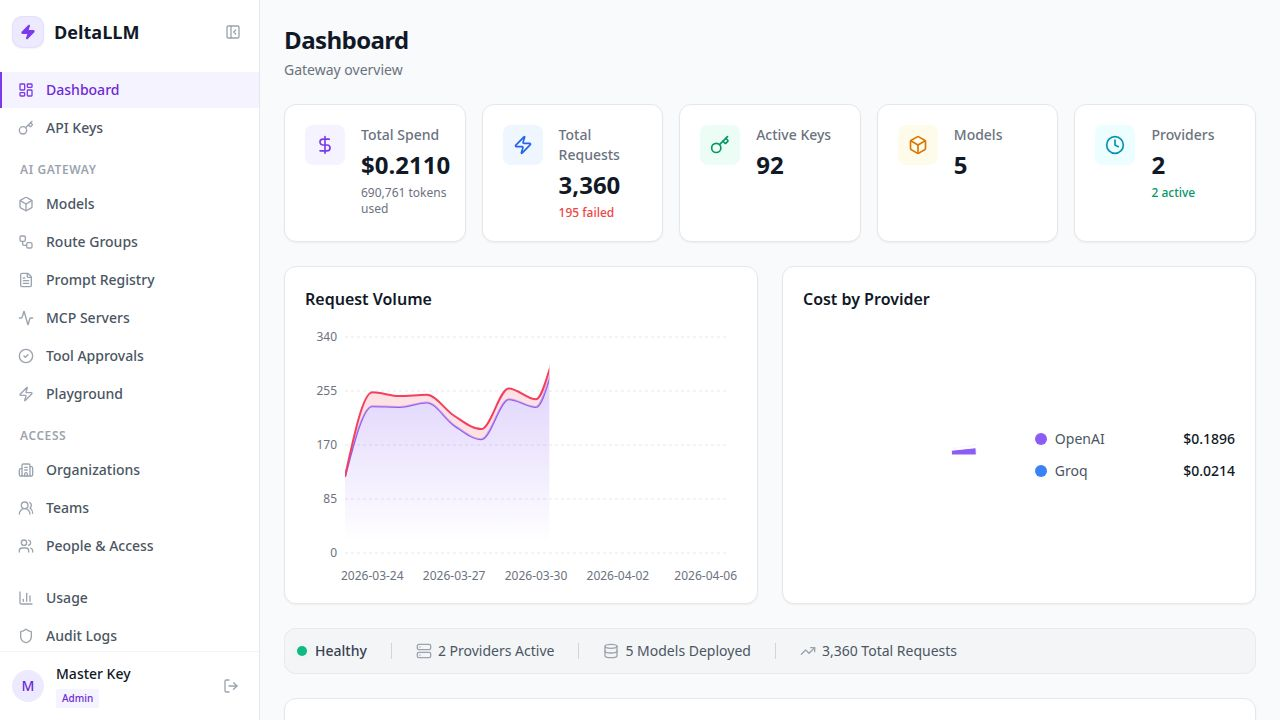
Here's what a gateway like DeltaLLM gives you in practice:
- Switch providers without code changes — move from OpenAI to Anthropic or Groq by editing a config file, not your application.
- Automatic failover — if your primary provider is down or rate-limited, requests retry on a backup provider. Your users never notice.
- Cost visibility — see exactly how much each API key, team, or feature costs you, across every provider, in one place.
- Budget limits — set hard spending caps per key or team. When the budget runs out, the gateway stops requests instead of running up your bill.
- Safety guardrails — block PII from reaching the model, detect prompt injection, filter outputs — all at the gateway level.
The Real Cost of Not Having One
Teams without a gateway usually end up in one of two situations:
Locked to one provider
You've hardcoded OpenAI calls everywhere. When a cheaper or better model comes along, switching is a multi-week project. You stay on the expensive provider because migration hurts too much.
Building your own mini-gateway
You write retry logic, your own cost tracker, your own key manager — all inside your app code. It works, but every new team member has to learn your custom setup before shipping anything AI-related. Maintenance compounds fast.
Does a Gateway Add Latency?
This is the most common concern, and the short answer is: barely. A self-hosted gateway adds under 5ms per request. LLM inference takes 500ms to 5 seconds. The gateway overhead is invisible in practice.
What to Look for When Choosing
| Feature | Why It Matters |
|---|---|
| OpenAI-compatible API | Your existing code works with zero changes |
| Failover and retries | Your app stays up when providers go down |
| Virtual keys with budgets | Safe delegation to teams and services |
| Multi-provider routing | Avoid lock-in, optimize cost |
| Self-hostable | Your data stays in your infrastructure |
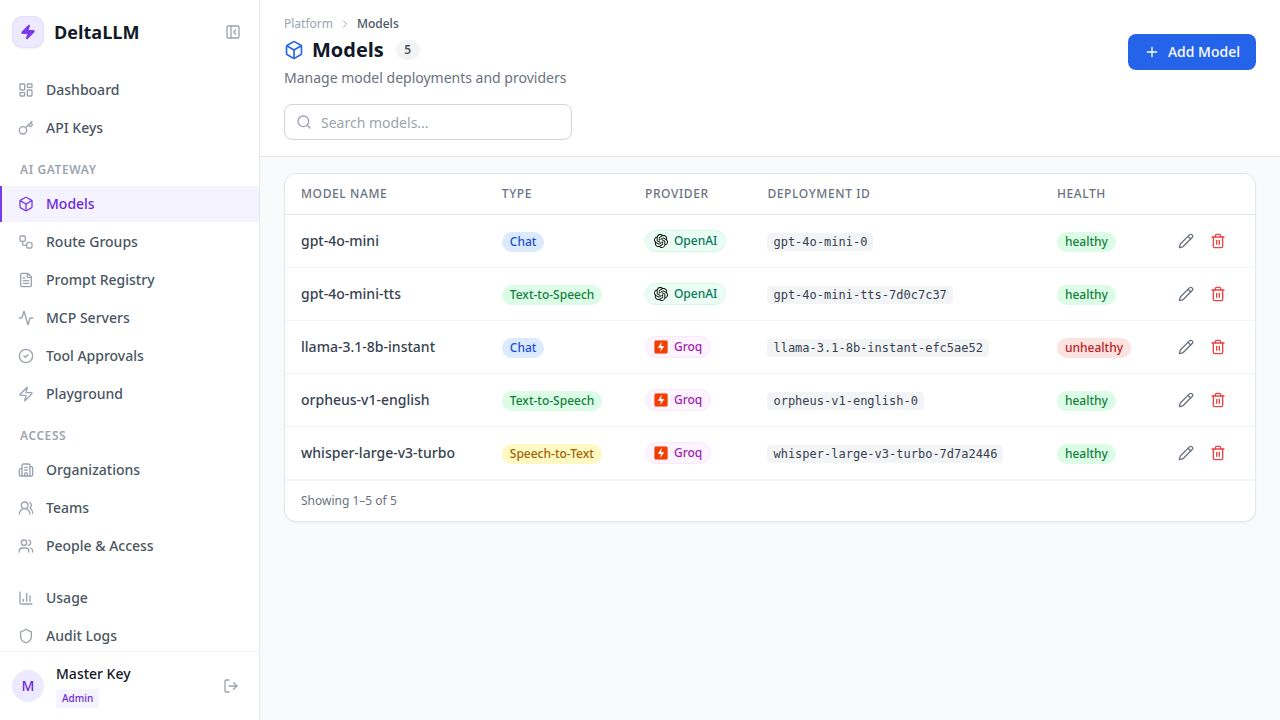
| Admin dashboard | Manage everything from a web UI instead of config files |
Getting Started with DeltaLLM
DeltaLLM is an open-source, self-hosted LLM gateway built with Python and FastAPI. You clone the repo, start it with Docker Compose, and point your existing OpenAI SDK at it. That's the entire setup.
git clone https://github.com/deltawi/deltallm.git
cd deltallm
cp config.example.yaml config.yaml

# Start DeltaLLM (includes PostgreSQL + Redis)
docker compose --profile single up -d --build

# Your app — just change the base URL
client = OpenAI(
    base_url="http://localhost:4002/v1",
    api_key="your-virtual-key"
)
No vendor lock-in. No code rewrites. No surprise bills. That's the gateway layer in practice.